Diferencia entre revisiones de «Jack the Ripper (1995, Intergalactic Development)»
De AbandonWiki
Ir a la navegaciónIr a la búsquedam (Texto reemplaza - '[http://www.justadventure' a '16px|Just Adventure [http://www.justadventure') |
|||
| Línea 70: | Línea 70: | ||
* [http://www.cs.uiowa.edu/~dsidran/Software.html Homepage autor] | * [http://www.cs.uiowa.edu/~dsidran/Software.html Homepage autor] | ||
* [[Imagen:The_Patches_Scrolls.ico.png|16px|The Patches Scrolls]] [http://dlh.net/cgi-bin/dlp.cgi?lang=eng&sys=pc&file=jack.zip&ref=ps Jack the Ripper fix] Añade soporte para UniVBE (Universal VESA BIOS Extension) | * [[Imagen:The_Patches_Scrolls.ico.png|16px|The Patches Scrolls]] [http://dlh.net/cgi-bin/dlp.cgi?lang=eng&sys=pc&file=jack.zip&ref=ps Jack the Ripper fix] Añade soporte para UniVBE (Universal VESA BIOS Extension) | ||
| − | * [http://www.justadventure.com/reviews/JackTheRipper/JackTheRipper.shtm Just Adventure] | + | * [[Imagen:Just_Adventure.ico.png|16px|Just Adventure]] [http://www.justadventure.com/reviews/JackTheRipper/JackTheRipper.shtm Just Adventure] |
* [[Imagen:Abandonia.ico.png|16px|Abandonia]] [http://www.abandonia.com/es/games/13354/Jack%20The%20Ripper.html Abandonia] | * [[Imagen:Abandonia.ico.png|16px|Abandonia]] [http://www.abandonia.com/es/games/13354/Jack%20The%20Ripper.html Abandonia] | ||
| − | * [http://www.justadventure.com/Interviews/DEzraSidran/Sidran.shtm Just Adventure] | + | * [[Imagen:Just_Adventure.ico.png|16px|Just Adventure]] [http://www.justadventure.com/Interviews/DEzraSidran/Sidran.shtm Just Adventure] |
{{Juegos}} | {{Juegos}} | ||
Revisión del 17:46 4 nov 2012

Descripción
Personajes
Curiosidades
Instalación
DOSBox
- Jugado sin finalizar por cireja en DOSBox:
- Para instalar, ponemos estas instrucciones en nuestro dosbox.conf:
[autoexec]
mount c D:\DosGames
imgmount d "ruta donde tengas la imagen del CD\Jack.cue" -t iso
d:
Install
- Una vez instalado, volvemos a modificarlo dejándolo así:
[autoexec]
mount c D:\DosGames
imgmount d "ruta donde tengas la imagen del CD\Jack.cue" -t iso
c:
CD GAMETEK
JACK
Imágenes

Jack the Ripper

Jack the Ripper

Jack the Ripper

Jack the Ripper
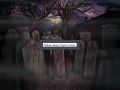
Jack the Ripper

Jack the Ripper

Jack the Ripper

Jack the Ripper


Enlaces de interés
- Homepage autor
 Jack the Ripper fix Añade soporte para UniVBE (Universal VESA BIOS Extension)
 Just Adventure
 Abandonia
- Just Adventure


