Diferencia entre revisiones de «Queen of the Vesparians»
De AbandonWiki
Ir a la navegaciónIr a la búsquedam (Texto reemplazado: «16px|link=Adventure Legends» por «{{Adventure Legends}}») |
|||
| (No se muestran 23 ediciones intermedias del mismo usuario) | |||
| Línea 1: | Línea 1: | ||
| − | {{Definir título|Queen of the Vesparians|[[Archivo:Queen_of_the_Vesparians.ico.png| | + | {{Definir título|Queen of the Vesparians|[[Archivo:Queen_of_the_Vesparians.ico.png|32px]]}} |
{{Ficha de juego | {{Ficha de juego | ||
|caratula = Queen_of_the_Vesparians_-_Portada.jpg | |caratula = Queen_of_the_Vesparians_-_Portada.jpg | ||
|genero1 = {{Aventura gráfica}} | |genero1 = {{Aventura gráfica}} | ||
|alias1 = | |alias1 = | ||
| − | |año1 = | + | |año1 = {{Mundial}} 20 May 2017 |
|tematica1 = {{Fantasía}} | |tematica1 = {{Fantasía}} | ||
|tematica2 = {{Humor}} | |tematica2 = {{Humor}} | ||
| − | |textos1 = | + | |textos1 = {{Español amateur}} |
| − | |textos2 = | + | |textos2 = {{Inglés}} |
|voces1 = | |voces1 = | ||
|licencia1 = {{Gratis}} | |licencia1 = {{Gratis}} | ||
| Línea 16: | Línea 16: | ||
|editor1 = [[Red Dwarf Games]] | |editor1 = [[Red Dwarf Games]] | ||
|soporte1 = {{Descarga}} | |soporte1 = {{Descarga}} | ||
| − | |motor1 = | + | |motor1 = {{Adobe AIR|Adobe AIR}} |
| − | |motor2 = | + | |motor2 = {{Flash|Flash}} |
|perspectiva1 = 3ª persona | |perspectiva1 = 3ª persona | ||
|entorno1 = 2D | |entorno1 = 2D | ||
| Línea 45: | Línea 45: | ||
==Imágenes== | ==Imágenes== | ||
| − | [[Archivo:Queen_of_the_Vesparians_-_Logo.png|center|Logo| | + | [[Archivo:Queen_of_the_Vesparians_-_Logo.png|center|Logo|300px]] |
<gallery caption=""> | <gallery caption=""> | ||
| Línea 65: | Línea 65: | ||
==Enlaces de interés== | ==Enlaces de interés== | ||
| − | + | {{Enlaces | |
| − | + | |url1 = {{AbandonSocios}} [https://www.abandonsocios.org/index.php?topic=17552 AbandonSocios] | |
| − | + | |url2 = {{AbandonSocios}} [https://www.abandonsocios.org/index.php?topic=17550 Hilo de la traducción] | |
| − | + | |url3 = {{Game Jolt}} [https://gamejolt.com/games/queen/254246 Game Jolt] | |
| − | + | |url4 = [[Archivo:Game_Curator.ico.png|16px|Game Curator]] [https://game-curator.com/jams/adventure-jam-2017-queen-of-the-vesparians Game Curator] | |
| + | |url5 = {{Adventure Legends}} [https://www.legendsworld.net/adventure/game/27351 Adventure Legends] | ||
| + | |url6 = {{Steam Greenlight}} [https://steamcommunity.com/sharedfiles/filedetails/?id=932058095 Steam Greenlight] | ||
| + | }} | ||
{{Juegos}} | {{Juegos}} | ||
Revisión actual del 05:22 16 mar 2025


Descripción
Juegas como Wudge, el valiente oso alienígena, que una mañana temprano sale a buscar en los bosques cercanos un desayuno rico en miel para su familia. Pero como se esperaba, su viaje da un giro inesperado y ahora debe encontrar el camino de vuelta a casa.
Personajes
- Wudge
Curiosidades
- Traducción al español a nivel amateur por cireja.
Instalación
- Entrar en configuración con la tecla Esc y cambiar el idioma a español.
Imágenes


Queen of the Vesparians
Queen of the Vesparians
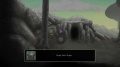
Queen of the Vesparians
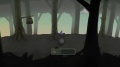
Queen of the Vesparians
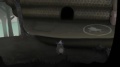
Queen of the Vesparians
Queen of the Vesparians
Queen of the Vesparians
Queen of the Vesparians
Queen of the Vesparians
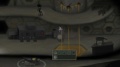
Queen of the Vesparians
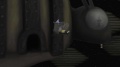
Queen of the Vesparians
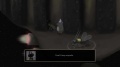
Queen of the Vesparians
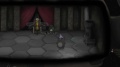
Queen of the Vesparians
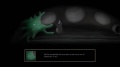
Queen of the Vesparians


