Diferencia entre revisiones de «BloodNet»
De AbandonWiki
Ir a la navegaciónIr a la búsquedam (Texto reemplazado: « Steam] * 16px|SteamDB» por « Steam] 16px|SteamDB») |
|||
| Línea 108: | Línea 108: | ||
* [[Archivo:LAELA.ico.png|16px|LAELA]] [https://la-aventura.eu/aventuras/bloodnet LAELA] | * [[Archivo:LAELA.ico.png|16px|LAELA]] [https://la-aventura.eu/aventuras/bloodnet LAELA] | ||
* [[Archivo:ColeccionPC.ico.png|16px|ColeccionPC]] [https://coleccionpc.wordpress.com/2013/12/27/bloodnet-the-cyberpunk-vampire-game-microprose-proein-1993 ColeccionPC] | * [[Archivo:ColeccionPC.ico.png|16px|ColeccionPC]] [https://coleccionpc.wordpress.com/2013/12/27/bloodnet-the-cyberpunk-vampire-game-microprose-proein-1993 ColeccionPC] | ||
| − | * [[Archivo:MobyGames.ico.png|16px|MobyGames]] [https://www.mobygames.com/game/ | + | * [[Archivo:MobyGames.ico.png|16px|MobyGames]] [https://www.mobygames.com/game/1036 MobyGames] |
* [[Archivo:TheLegacy.ico.png|16px|TheLegacy]] [http://www.thelegacy.de/Museum/3818 TheLegacy] | * [[Archivo:TheLegacy.ico.png|16px|TheLegacy]] [http://www.thelegacy.de/Museum/3818 TheLegacy] | ||
* [[Archivo:Adventure_Legends.ico.png|16px|Adventure Legends]] [https://www.legendsworld.net/adventure/game/2794 Adventure Legends] | * [[Archivo:Adventure_Legends.ico.png|16px|Adventure Legends]] [https://www.legendsworld.net/adventure/game/2794 Adventure Legends] | ||
Revisión del 17:51 15 dic 2024


BloodNet es una aventura gráfica con elementos de rol.
Descripción
Personajes
- Ransom Stark
- Abraham Van Helsing
Curiosidades
- Disponible en alemán, francés e inglés.
Instalación
DOSBox
- dosbox.conf:
[autoexec]
mount c C:\DosGames
imgmount d "...ruta...\BloodNet.iso" -t iso
C:
CD MPS\BNCD
BLOODNET.COM
- Entramos en D: e instalamos con Install.exe. Aceptamos el destino con Enter. Elegimos SoundBlaster en sonido y música, salvamos la configuración.
- Ejecutar con BLOODNET.COM.--cireja 00:21 23 sep 2013
Imágenes


BloodNet

BloodNet

BloodNet
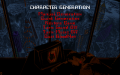
BloodNet

BloodNet
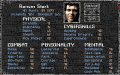
BloodNet
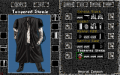
BloodNet
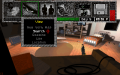
BloodNet
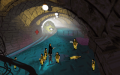
BloodNet
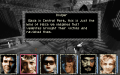
BloodNet
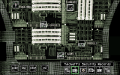
BloodNet

BloodNet


Extras

Trasera

Manual

Contenido


