Diferencia entre revisiones de «Jack the Ripper (1995, Intergalactic Development)»
De AbandonWiki
Ir a la navegaciónIr a la búsquedam (Texto reemplazado: «16px|The Patches Scrolls» por «16px|link=The Patches Scrolls») |
m (Texto reemplazado: «16px|Abandonia» por «16px|link=Abandonia») |
||
| Línea 86: | Línea 86: | ||
|url6 = [[Archivo:LAELA.ico.png|16px|link=LAELA]] [https://la-aventura.eu/aventuras/jack-the-ripper-1995-intergalactic-development- LAELA] | |url6 = [[Archivo:LAELA.ico.png|16px|link=LAELA]] [https://la-aventura.eu/aventuras/jack-the-ripper-1995-intergalactic-development- LAELA] | ||
|url7 = [[Archivo:Just_Adventure_-_02.ico.png|16px|link=Just Adventure]] [https://web.archive.org/web/20090101163953/justadventure.com/reviews/JackTheRipper/JackTheRipper.shtm Just Adventure] [https://web.archive.org/web/20090917124312/justadventure.com/Interviews/DEzraSidran/Sidran.shtm 2] | |url7 = [[Archivo:Just_Adventure_-_02.ico.png|16px|link=Just Adventure]] [https://web.archive.org/web/20090101163953/justadventure.com/reviews/JackTheRipper/JackTheRipper.shtm Just Adventure] [https://web.archive.org/web/20090917124312/justadventure.com/Interviews/DEzraSidran/Sidran.shtm 2] | ||
| − | |url8 = [[Archivo:Abandonia.ico.png|16px|Abandonia]] [http://www.abandonia.com/es/games/13354 Abandonia] | + | |url8 = [[Archivo:Abandonia.ico.png|16px|link=Abandonia]] [http://www.abandonia.com/es/games/13354 Abandonia] |
|url9 = [[Archivo:MobyGames.ico.png|16px|link=MobyGames]] [https://www.mobygames.com/game/4792 MobyGames] | |url9 = [[Archivo:MobyGames.ico.png|16px|link=MobyGames]] [https://www.mobygames.com/game/4792 MobyGames] | ||
|url10 = [[Archivo:TheLegacy.ico.png|16px|link=TheLegacy]] [https://web.archive.org/web/20160603013220/http://www.thelegacy.de/Museum/16072 TheLegacy] | |url10 = [[Archivo:TheLegacy.ico.png|16px|link=TheLegacy]] [https://web.archive.org/web/20160603013220/http://www.thelegacy.de/Museum/16072 TheLegacy] | ||
Revisión del 06:20 17 ene 2025


Descripción
Personajes
Curiosidades
Instalación
DOSBox
- Para instalar, ponemos estas instrucciones en nuestro dosbox.conf:
[autoexec]
mount c D:\DosGames
imgmount d "...ruta...\Jack.cue" -t iso
d:
Install
- Una vez instalado, volvemos a modificarlo dejándolo así:
[autoexec]
mount c D:\DosGames
imgmount d "...ruta...\Jack.cue" -t iso
c:
CD GAMETEK
JACK
- --cireja 13:39 23 sep 2013
Imágenes
_-_Logo.png)

Jack the Ripper

Jack the Ripper

Jack the Ripper

Jack the Ripper
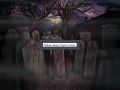
Jack the Ripper

Jack the Ripper

Jack the Ripper

Jack the Ripper


Extras
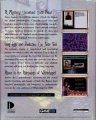
Trasera

CD
_-_Trasera.jpg)
_-_CD.jpg)


