Diferencia entre revisiones de «Lost in Time»
De AbandonWiki
Ir a la navegaciónIr a la búsquedam (Texto reemplazado: «16px|link=La Aventura Original (Página Web)|La Aventura Original» por «{{La Aventura Original}}») |
m (Texto reemplazado: «16px|link=ColeccionPC» por «{{ColeccionPC}}») |
||
| Línea 120: | Línea 120: | ||
|url7 = [[Archivo:Aventura_y_Cia.ico.png|16px|link=Aventura y Cía]] [https://www.aventuraycia.com/juegos/lost-in-time Aventura y Cía] | |url7 = [[Archivo:Aventura_y_Cia.ico.png|16px|link=Aventura y Cía]] [https://www.aventuraycia.com/juegos/lost-in-time Aventura y Cía] | ||
|url8 = [[Archivo:DeLaC_Aventuras.ico.png|16px|link=DeLaC Aventuras]] [http://www.delac.es/juegos/juego.php?id=lost_in_time DeLaC Aventuras] | |url8 = [[Archivo:DeLaC_Aventuras.ico.png|16px|link=DeLaC Aventuras]] [http://www.delac.es/juegos/juego.php?id=lost_in_time DeLaC Aventuras] | ||
| − | |url9 = | + | |url9 = {{ColeccionPC}} [https://coleccionpc.wordpress.com/2012/10/15/lost-in-time-1-y-2-coktel-vision-system-4-1993 ColeccionPC] |
|url10 = [[Archivo:The_Sierra_Chest.ico.png|16px|link=The Sierra Chest]] [http://www.sierrachest.com/index.php?a=g&id=150 The Sierra Chest] | |url10 = [[Archivo:The_Sierra_Chest.ico.png|16px|link=The Sierra Chest]] [http://www.sierrachest.com/index.php?a=g&id=150 The Sierra Chest] | ||
|url11 = [[Archivo:Adventure_Gamers.ico.png|16px|link=Adventure Gamers]] [https://adventuregamers.com/games/view/16245 Adventure Gamers] | |url11 = [[Archivo:Adventure_Gamers.ico.png|16px|link=Adventure Gamers]] [https://adventuregamers.com/games/view/16245 Adventure Gamers] | ||
Revisión del 20:48 13 mar 2025


Aventura FMV.
Descripción
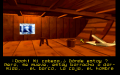
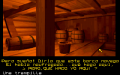
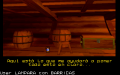
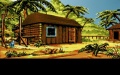
En Lost in Time deberás de viajar en el tiempo, resolviendo puzzles en antiguos galeones, explorando lujosos palacios y salvajes selvas para encontrar al hombre que está conspirando para matar a tus antepasados.
Personajes
Curiosidades
- Inicialmente el juego se vendió en disquetes, en dos series distintas.
Instalación
Preinstalado
En el foro dispones de versiones preinstaladas donde sólo tendrás que descomprimir y ejecutar:
- Basada en DOSBox y la versión CD.
DOSBox
- dosbox.conf:
[autoexec]
mount c C:\DosGames
imgmount d "...ruta...\Lost.cue" -t iso
C:
CD COCKTEL
LOST
- Entrar en D: e instalar con Install.--cireja 20:00 21 sep 2013
Imágenes

|

|

Lost in Time

Lost in Time
Lost in Time

Lost in Time

Lost in Time

Lost in Time
Lost in Time

Lost in Time

Lost in Time

Lost in Time
Lost in Time

Lost in Time

Lost in Time
Lost in Time
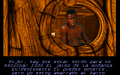
Lost in Time

Lost in Time

Lost in Time

Lost in Time


Extras

Trasera

Discos
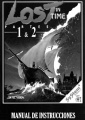
Manual

Portada Disquetes

Trasera Disquetes
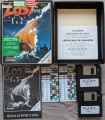
Contenido Disquetes

Bocetos de Producción


