Diferencia entre revisiones de «L-Zone»
De AbandonWiki
Ir a la navegaciónIr a la búsquedam (Texto reemplazado: «16px|Nofavicon» por «{{Nofavicon}}») |
m (Texto reemplazado: «16px|link=Just Adventure» por «{{Just Adventure2}}») |
||
| Línea 73: | Línea 73: | ||
|url4 = [[Archivo:Tap-Repeatedly.ico.png|16px|link=Tap-Repeatedly]] [http://www.tap-repeatedly.com/Reviews/L-Zone/L-Zone.shtml Tap-Repeatedly] | |url4 = [[Archivo:Tap-Repeatedly.ico.png|16px|link=Tap-Repeatedly]] [http://www.tap-repeatedly.com/Reviews/L-Zone/L-Zone.shtml Tap-Repeatedly] | ||
|url5 = [[Archivo:The_JAVE.ico.png|16px|link=Just Adventure|The JAVE]] [https://web.archive.org/web/20081226160643/http://www.justadventure.com/thejave/html/Games/GamesL/LZone/JAVE_LZone.shtml The JAVE] | |url5 = [[Archivo:The_JAVE.ico.png|16px|link=Just Adventure|The JAVE]] [https://web.archive.org/web/20081226160643/http://www.justadventure.com/thejave/html/Games/GamesL/LZone/JAVE_LZone.shtml The JAVE] | ||
| − | |url6 = | + | |url6 = {{Just Adventure2}} [https://web.archive.org/web/20010809001931/justadventure.com/reviews/L-Zone/L-Zone.shtm Just Adventure] |
|url7 = {{Nofavicon}} [http://www.eblong.com/zarf/gamerev/lzone.html E BLONG] | |url7 = {{Nofavicon}} [http://www.eblong.com/zarf/gamerev/lzone.html E BLONG] | ||
|url8 = [[Archivo:MobyGames.ico.png|16px|link=MobyGames]] [https://www.mobygames.com/game/2302 MobyGames] | |url8 = [[Archivo:MobyGames.ico.png|16px|link=MobyGames]] [https://www.mobygames.com/game/2302 MobyGames] | ||
Revisión del 12:43 14 mar 2025


Descripción
Al empezar el juego, llegamos a una cúpula de cristal y nuestra misión es salir de ella para llegar al planeta verde. En dicha cúpula hay un gran laberinto con muchas máquinas y computadoras que debemos hacer funcionar.
Personajes
Curiosidades
Instalación
Windows XP
- Instalar manualmente con el Setup.exe del CD, no tiene autorun. No tiene desinstalador.
- Funciona correctamente, no importan las resoluciones ni las compatibilidades, aunque su resolución nativa es 640.--cireja 17:29 22 sep 2013
Imágenes

L-Zone

L-Zone
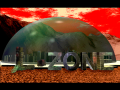
L-Zone
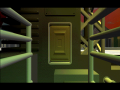
L-Zone
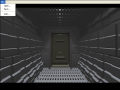
L-Zone
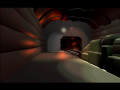
L-Zone
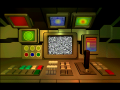
L-Zone
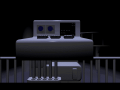
L-Zone


Extras
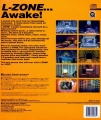
Trasera
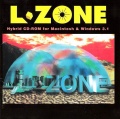
Front
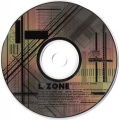
CD


