Diferencia entre revisiones de «La Storia Ancestrale»
De AbandonWiki
Ir a la navegaciónIr a la búsquedam (Texto reemplazado: «16px|link=Hall of Light» por «{{Hall of Light}}») |
m (Texto reemplazado: «16px|link=Blogger|Blogspot» por «{{Blogspot}}») |
||
| Línea 79: | Línea 79: | ||
|url2 = [[Archivo:Adventure_Legends.ico.png|16px|link=Adventure Legends]] [https://www.legendsworld.net/adventure/game/8036 Adventure Legends] | |url2 = [[Archivo:Adventure_Legends.ico.png|16px|link=Adventure Legends]] [https://www.legendsworld.net/adventure/game/8036 Adventure Legends] | ||
|url3 = [[Archivo:Retrogaming_History.ico.png|16px|Retrogaming History]] [http://www.retrogaminghistory.com/home/5253-la-storia-ancestrale-amiga.html Retrogaming History] | |url3 = [[Archivo:Retrogaming_History.ico.png|16px|Retrogaming History]] [http://www.retrogaminghistory.com/home/5253-la-storia-ancestrale-amiga.html Retrogaming History] | ||
| − | |url4 = | + | |url4 = {{Blogspot}} [http://juegosliberados.blogspot.ca/2010/04/la-storia-ancestrale.html Juegos Liberados] |
|url5 = {{Hall of Light}} [https://hol.abime.net/5569 Hall of Light] | |url5 = {{Hall of Light}} [https://hol.abime.net/5569 Hall of Light] | ||
|url6 = {{Nofavicon}} [http://www.arena80.it/pagine/oldg_scheda.asp?id=827&tipo=pc Arena80] | |url6 = {{Nofavicon}} [http://www.arena80.it/pagine/oldg_scheda.asp?id=827&tipo=pc Arena80] | ||
Revisión del 16:59 14 mar 2025


Descripción
Tomamos el rol de Richard, quien se ve arrastrado a un mundo paralelo y debe encontrar el camino de vuelta. El juego está dividido en 4 capítulos que se publicaron de forma independiente, y que actualmente, están disponibles en sus versiones de MS-DOS y Commodore Amiga, en la página de su programador Fabrizio Farenga.
Personajes
Curiosidades
Instalación
DOSBox
- La instalación debe hacerse desde el disquete A. Para ello copiamos el contenido del primer capítulo en la carpeta D:\Disk1 y la montamos con el comando mount y el parámetro floppy.
[autoexec]
mount a "D:\Disk1" -t floppy
mount c D:\DosGames
C:
cd STORIA1
STORIA
- Luego nos situamos en C: e instalamos con Installa.exe, eligiendo C: como destino.
- Repetimos la operación para los restantes capítulos, haciendo los cambios necesarios en los nombres de carpeta.--cireja 22:51 23 sep 2013
Imágenes

- DOS

La Storia Ancestrale

La Storia Ancestrale
La Storia Ancestrale
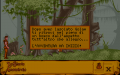
La Storia Ancestrale

La Storia Ancestrale

La Storia Ancestrale

La Storia Ancestrale

La Storia Ancestrale


- Amiga

La Storia Ancestrale

La Storia Ancestrale

La Storia Ancestrale
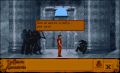
La Storia Ancestrale


