Diferencia entre revisiones de «Inca II: Wiracocha»
De AbandonWiki
Ir a la navegaciónIr a la búsquedam (Texto reemplazado: « |align="center"|[[Archivo:» por « |[[Archivo:») |
m (Texto reemplazado: «16px|The Sierra Chest» por «16px|link=The Sierra Chest») |
||
| Línea 123: | Línea 123: | ||
|url5 = [[Archivo:Aventura_y_Cia.ico.png|16px|link=Aventura y Cía]] [https://www.aventuraycia.com/juegos/inca-ii-wiracocha Aventura y Cía] | |url5 = [[Archivo:Aventura_y_Cia.ico.png|16px|link=Aventura y Cía]] [https://www.aventuraycia.com/juegos/inca-ii-wiracocha Aventura y Cía] | ||
|url6 = [[Archivo:LAELA.ico.png|16px|link=LAELA]] [https://la-aventura.eu/aventuras/inca-ii-wiracocha LAELA] | |url6 = [[Archivo:LAELA.ico.png|16px|link=LAELA]] [https://la-aventura.eu/aventuras/inca-ii-wiracocha LAELA] | ||
| − | |url7 = [[Archivo:The_Sierra_Chest.ico.png|16px|The Sierra Chest]] [http://www.sierrachest.com/index.php?a=g&id=192 The Sierra Chest] | + | |url7 = [[Archivo:The_Sierra_Chest.ico.png|16px|link=The Sierra Chest]] [http://www.sierrachest.com/index.php?a=g&id=192 The Sierra Chest] |
|url8 = [[Archivo:Hardcore_Gaming_101.ico.png|16px|link=Hardcore Gaming 101]] [http://www.hardcoregaming101.net/inca/inca.htm Hardcore Gaming 101] | |url8 = [[Archivo:Hardcore_Gaming_101.ico.png|16px|link=Hardcore Gaming 101]] [http://www.hardcoregaming101.net/inca/inca.htm Hardcore Gaming 101] | ||
|url9 = [[Archivo:MobyGames.ico.png|16px|link=MobyGames]] [https://www.mobygames.com/game/4553 MobyGames] | |url9 = [[Archivo:MobyGames.ico.png|16px|link=MobyGames]] [https://www.mobygames.com/game/4553 MobyGames] | ||
Revisión del 05:31 17 ene 2025


Descripción
Personajes
Curiosidades
- Intercala fases de simulación espacial con aventura gráfica.
- La primera edición, sin el auspicio de Sierra, fue distribuida por System 4. Posteriormente Coktel Vision se hizo cargo de su distribución en España para las versiones CD producidas por Sierra.
Instalación
Preinstalado
En el foro dispones de versiones preinstaladas donde sólo tendrás que descomprimir y ejecutar:
DOSBox
- dosbox.conf:
[autoexec]
mount c D:\DosGames
imgmount d "...ruta...\Inca2.cue" -t iso
c:
cd COKTEL
INCA2.BAT
Imágenes


Inca II: Wiracocha
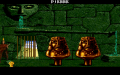
Inca II: Wiracocha

Inca II: Wiracocha

Inca II: Wiracocha

Inca II: Wiracocha
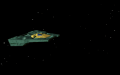
Inca II: Wiracocha

Inca II: Wiracocha

Inca II: Wiracocha

Inca II: Wiracocha

Inca II: Wiracocha

Inca II: Wiracocha

Inca II: Wiracocha

Inca II: Wiracocha

Inca II: Wiracocha
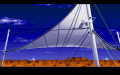
Inca II: Wiracocha
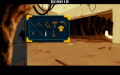
Inca II: Wiracocha
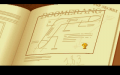
Inca II: Wiracocha

Inca II: Wiracocha

Inca II: Wiracocha

Inca II: Wiracocha
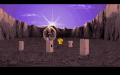
Inca II: Wiracocha
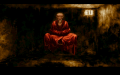
Inca II: Wiracocha

Inca II: Wiracocha

Inca II: Wiracocha

Inca II: Wiracocha


Extras

Trasera Disquetes

Disquetes

Contenido Disquetes

Contenido Disquetes
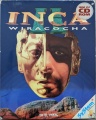
Portada CD

Trasera CD

Contenido CD


Iconos

|

|
Enlaces de interés


Serie
Este juego pertenece a la serie  Inca Inca | |||
|---|---|---|---|


