Diferencia entre revisiones de «Kingdom O' Magic»
De AbandonWiki
Ir a la navegaciónIr a la búsquedam (Texto reemplazado: «16px|link=AGS» por «{{AGS}}») |
m (Texto reemplazado: «16px|link=Adventure-Archiv» por «{{Adventure-Archiv}}») |
||
| Línea 79: | Línea 79: | ||
|url1 = {{AGS}} [https://www.adventuregamestudio.co.uk/forums/index.php?topic=35563 Kingdom O' Magic (Remake), Proyecto amateur en AGS] | |url1 = {{AGS}} [https://www.adventuregamestudio.co.uk/forums/index.php?topic=35563 Kingdom O' Magic (Remake), Proyecto amateur en AGS] | ||
|url2 = {{The Computer Show}} [http://www.thecomputershow.com/computershow/walkthroughs/kingdomomagicwalk.htm Guía en inglés] | |url2 = {{The Computer Show}} [http://www.thecomputershow.com/computershow/walkthroughs/kingdomomagicwalk.htm Guía en inglés] | ||
| − | |url3 = | + | |url3 = {{Adventure-Archiv}} [http://www.adventure-archiv.com/k/kingdom.html Adventure-Archiv] |
|url4 = [[Archivo:MobyGames.ico.png|16px|link=MobyGames]] [https://www.mobygames.com/game/678 MobyGames] | |url4 = [[Archivo:MobyGames.ico.png|16px|link=MobyGames]] [https://www.mobygames.com/game/678 MobyGames] | ||
|url5 = [[Archivo:TheLegacy.ico.png|16px|link=TheLegacy]] [https://web.archive.org/web/20160603013220/http://www.thelegacy.de/Museum/4676 TheLegacy] | |url5 = [[Archivo:TheLegacy.ico.png|16px|link=TheLegacy]] [https://web.archive.org/web/20160603013220/http://www.thelegacy.de/Museum/4676 TheLegacy] | ||
Revisión del 17:16 14 mar 2025


Descripción
Personajes
Curiosidades
Instalación
DOSBox
- El juego consta de 2 CDs, así que preparamos nuestro dosbox.conf de esta manera para luego alternar entre ellos dentro de DOSBox con la combinación CTRL+F4:
[autoexec]
mount c D:\DosGames
imgmount d "D:\Juegos~1\1_KOM_THIDNEY.iso" "...\2_KOM_THIDNEY.iso" -t iso
c:
CD Games\KOM
KOM
- Nota: El CD1 se debe montar ajustándose a la estructura 8+3 de DOS, cosa que no es necesario para el CD 2, que se puede montar con la de nombre de directorio/fichero completo entre comillas. Si se pone el nombre del CD1 con nombres largos no funcionará, cosa rara pero es así.--cireja 20:54 23 sep 2013
Imágenes


Kingdom O' Magic
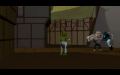
Kingdom O' Magic
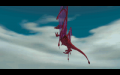
Kingdom O' Magic

Kingdom O' Magic

Kingdom O' Magic
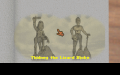
Kingdom O' Magic

Kingdom O' Magic

Kingdom O' Magic


Extras
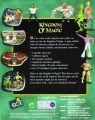
Trasera

Portada con Caja Interior Retirada

CD1

CD2

Frontal

Back


