Diferencia entre revisiones de «Midnight Nowhere»
De AbandonWiki
Ir a la navegaciónIr a la búsquedam (Texto reemplazado: «16px|link=GameBoomers» por «{{GameBoomers}}») |
m (Texto reemplazado: «16px|link=Clan DLAN» por «{{Clan DLAN}}») |
||
| Línea 93: | Línea 93: | ||
|url6 = [[Archivo:Aventura_y_Cia.ico.png|16px|link=Aventura y Cía]] [https://www.aventuraycia.com/juegos/midnight-nowhere Aventura y Cía] [https://www.aventuraycia.com/v3/preview.php?id=6 2] | |url6 = [[Archivo:Aventura_y_Cia.ico.png|16px|link=Aventura y Cía]] [https://www.aventuraycia.com/juegos/midnight-nowhere Aventura y Cía] [https://www.aventuraycia.com/v3/preview.php?id=6 2] | ||
|url7 = [[Archivo:LAELA.ico.png|16px|link=LAELA]] [https://la-aventura.eu/aventuras/midnight-nowhere LAELA] | |url7 = [[Archivo:LAELA.ico.png|16px|link=LAELA]] [https://la-aventura.eu/aventuras/midnight-nowhere LAELA] | ||
| − | |url8 = | + | |url8 = {{Clan DLAN}} [http://revisiones.clandlan.net/index.php?page=revisiones/view&review=4349 Clan DLAN] |
|url9 = {{A-for-Adventure}} [http://www.a-for-adventure.com/gamereview.php?id=333 A-for-Adventure] | |url9 = {{A-for-Adventure}} [http://www.a-for-adventure.com/gamereview.php?id=333 A-for-Adventure] | ||
|url10 = [[Archivo:IGN.ico.png|16px|link=IGN]] [http://pc.ign.com/articles/499/499460p1.html IGN] | |url10 = [[Archivo:IGN.ico.png|16px|link=IGN]] [http://pc.ign.com/articles/499/499460p1.html IGN] | ||
Revisión del 21:36 13 mar 2025


Descripción
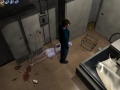
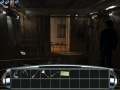
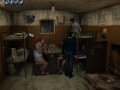
"Midnight Nowhere" te sumergirá en un mundo lleno de ambiente y suspense, con una historia que se va desarrollando a medida que solucionas los acertijos y vences a las criaturas de la oscuridad, hasta llegar al misterio final. Prepárate para la experiencia más emocionante en un sobrecogedor y prodigioso mundo tridimensional de suspense y terror.
Personajes
Curiosidades
Instalación
Windows XP
- Para la instalación son necesarios los dos CDs. Para jugar se necesita tener insertado el CD2.--cireja 00:12 24 sep 2013
Windows 7 64bits
- Ejecutar la utilidad de configuración que se encuentra en la carpeta de instalación del juego. Para ello localizar el "config.exe", ejecutarlo y quitar la marca de verificación de las siguientes opciones:
- - Use hardware TnL
- - Enable music
- No hay necesidad de activar el modo de compatibilidad, no afectará el juego. De esta forma se podrá jugar, pero sin música. Estas instrucciones son también válidas para Windows Vista y 8.--cireja 18:39 22 ene 2014 (CET)
Imágenes


Midnight Nowhere
Midnight Nowhere
Midnight Nowhere
Midnight Nowhere
Midnight Nowhere


Extras
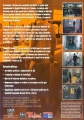
Trasera


